How To Register a .DE Domain With SeekaHost
How To Register a . DE Domain With SeekaHost
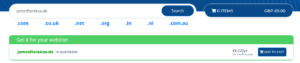
Step 01: Search and Add Domain
Find the domain search page on SeekaHost and search for a domain name that you want to register. Click “ADD TO CART” once you have your preferred domain.
Step 02: Sign In or Create an Account
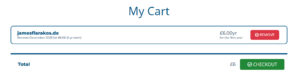
Next up, go to your cart and you can then proceed to check out your domain. Once you click checkout you will need to sign into your SeekaHost account or create a new one for free.
Step 03: Choose Registration Period
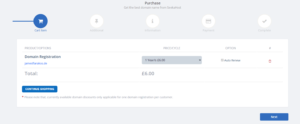
On the next screen, you can choose a period between 1-4 years to register the domain as well as the choice to auto-renew the domain yearly.
Step 04: Select Individual or Company
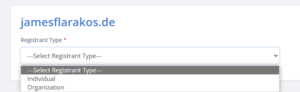
Next, you will need to choose if you registering this as an individual or a company.
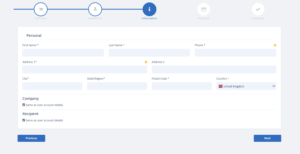
Step 05: Provide Registrar Information
At this point, you will need to fill in the registrar information for your domain or keep it the same as your registration.
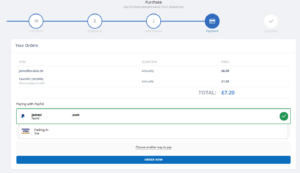
Step 06: Choose Payment and Register
Finally, choose a payment method that suits you and then register your domain!
registering a .de domain is easy and of great value with SeekaHost.App. It provides a great domain for anyone starting a business, blog, or site in Germany who wants an official German domain. This can result in better trust by local visitors and more clicks to your site as they know it will likely be in the language they use rather than other domains that could be based anywhere.
Remember, your curiosity knows no bounds, and neither does our support!
Reach out anytime – we’re here to answer your questions 24/7.
Happy exploring!